
 4 min read
How To Set Up Real-Time Captioning On Live Videos
Everything you need to know about Live Captioning and ASL Interpreted for Live Stream Events
Closed captioning is a perfect way to allow your videos to become more accessible to people around the world. The live closed captioning helps provide a professional livestream event to those who are hearing impared.
With the rise of social media apps such as TikTok, Instagram, and YouTube showing an increased use of automatic live captioning, it is now easier for people to add them to their own content and reach a wider audience. This also includes using captions on live streamed videos, along with pre-recorded content.
Read on to learn more about live captions and how you can set up real-time closed captioning for your events on popular platforms.
Closed Captions vs Live Captions
You may hear closed captions and live captions used interchangeably, but there are slight differences between the two. Firstly, closed captions are often for pre-recorded content. An event, speech, or video is transcribed and then uploaded with captions that are accurate and timed to the audio.
On the other hand, live captioning refers to the captioning of real-time videos. These captions rely on technology to immediately create captions for live events or videos. Due to many factors, live captions may be on a slight delay or not always 100% accurate.
Real-time closed captioning is beneficial when hosting a live virtual event. Whether it’s a lecture, presentation, meeting, or speech, live captioning ensures your event is accessible to the hearing impaired.

ASL and Live Captions Through Zoom
In the summer of 2021 we produced a zoom workshop for Lincoln center with 3 cameras, and used closed caption with an ASL interpreter all in one stream. Live captions online along with the interpreter ensured the event was accessible for all participants.
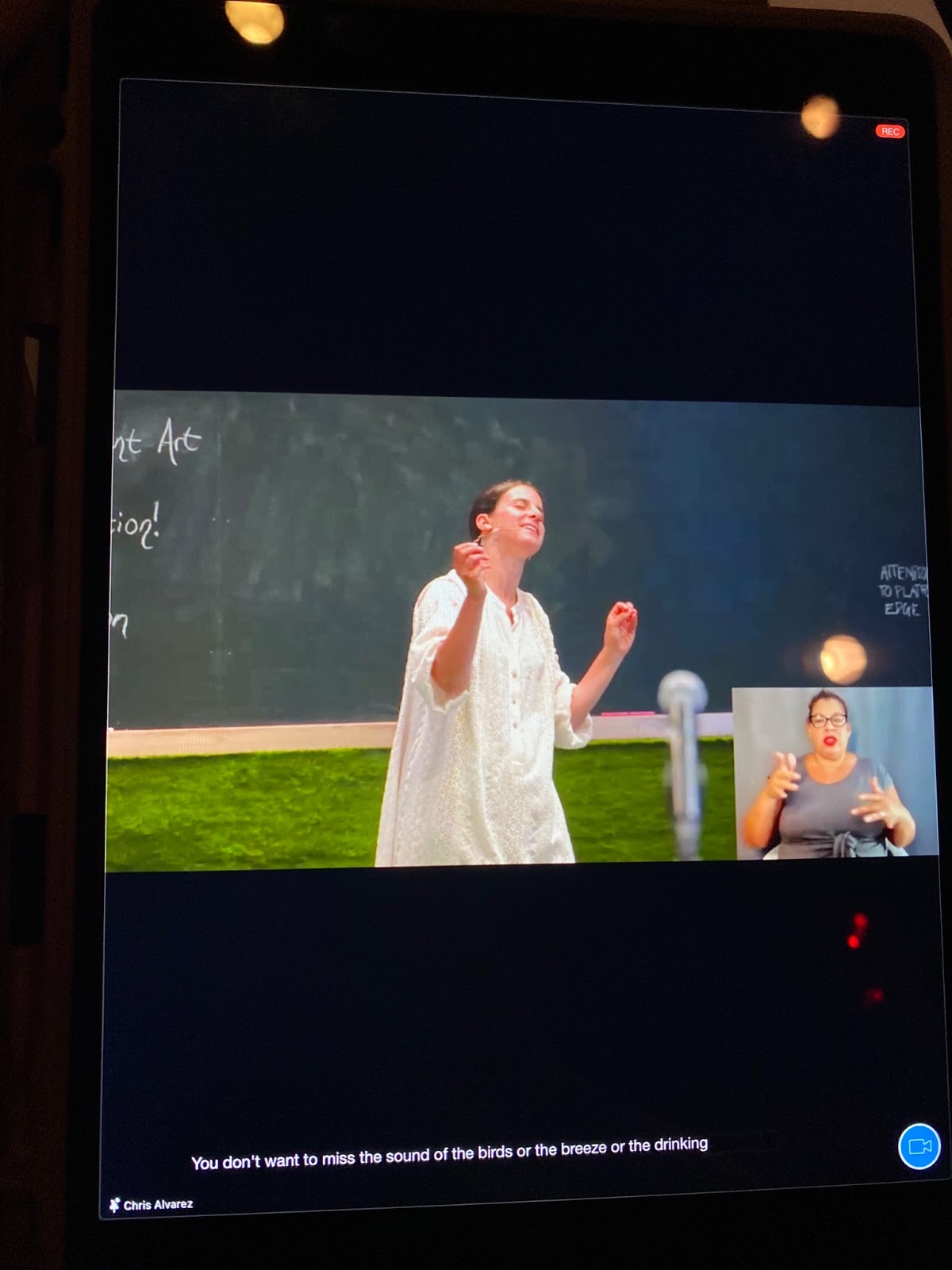
Most Professional Live Stream Captions and Latest Update in 2022
Ready to incorporate live captioning for your video events? There are a few ways to get automatic live captioning added to your websites, videos, and more. However, not all live caption solutions are created equal.
When it comes time to choose a real time captioning solution for your organization, you want something that’s accurate, user-friendly and cost effective. Here are some to consider:
In our opinion, the most up to date way to get the most accurate captions is using an encoder called Falcon.
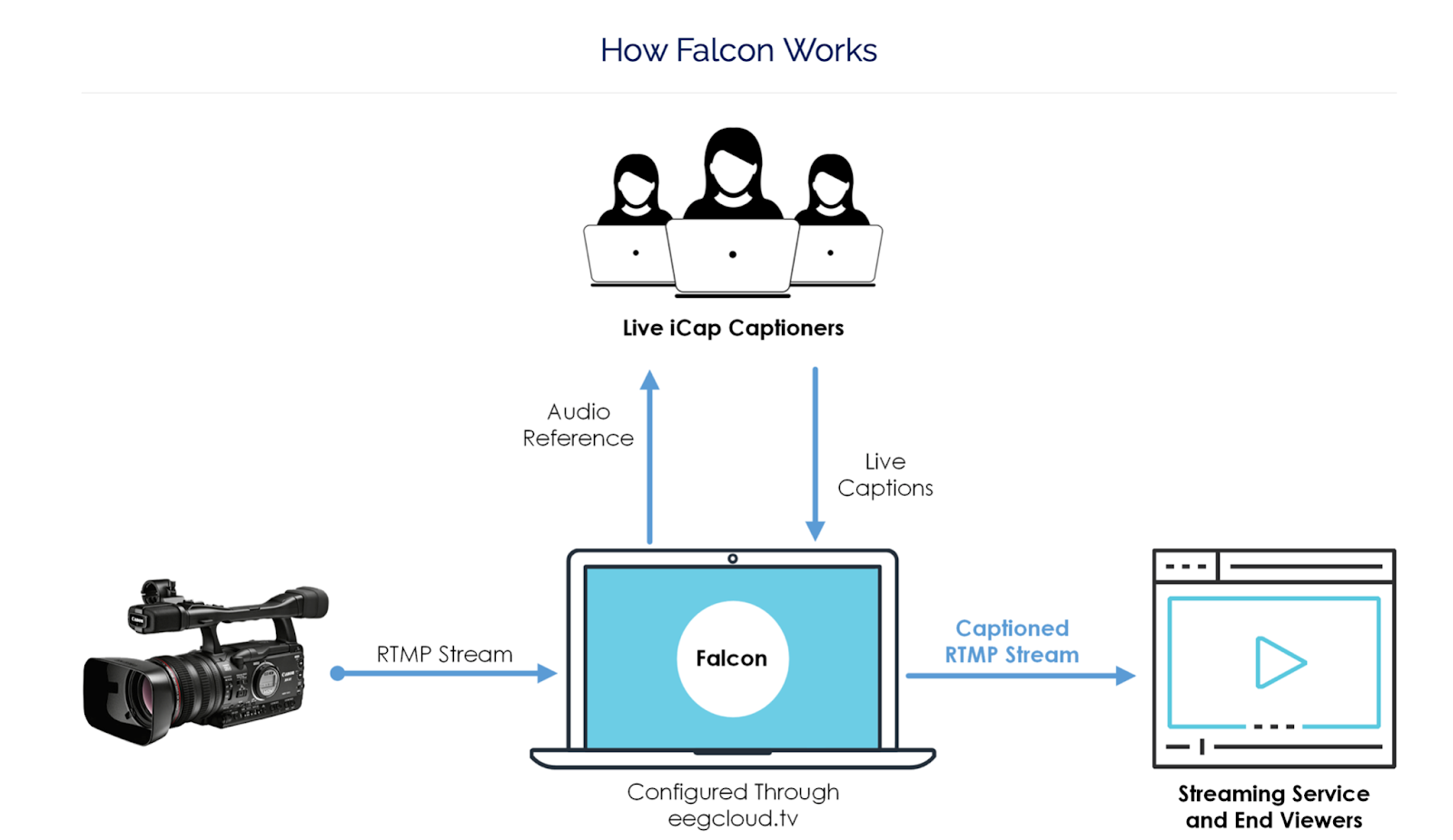
Falcon takes your video signal and gives it to a live captioner to place on your live video in real time. Then it is sent to a place where your audience can watch it. This is the more traditional way we see captions used.
That’s the simple way of putting it. If you are looking for a user to help you with this we use CaptioningStar.
From our experience in dealing with Falcon so far through captionstar, we would recommend you to go through a player Falcon uses. We used Dacast which did not show up for the end user (most likely because there is a user and password authentication as you place the webkey). Techie mambo jumbo talk, but mainly plan to use a dedicated player they recommend.
From our experience in dealing with Falcon so far through captionstar, we would recommend you to go through a player Falcon uses. We used Dacast which did not show up for the end user (most likely because there is a user and password authentication as you place the webkey). Techie mambo jumbo talk, but mainly plan to use a dedicated player they recommend.
Also with EEG Falcon Demo, expect to pay CaptionWtar a fee of 70 bucks.
Learn more about Falcon and how it creates live captions with this video.
Falcon Onboarding: Captioning Your Live Streams
Embedding Captions to a Web Page
You can also add closed captions to your website to make it more accessible to all visitors. If you have audio elements on your web pages, like an embedded video, consider including captions.
Websites such as streamtext.net use stenographers (people who transcribe audio to text) to type what they hear as the video is being live streamed. You are able to embed your video into the page, and watch as the text captions come up live on the screen.
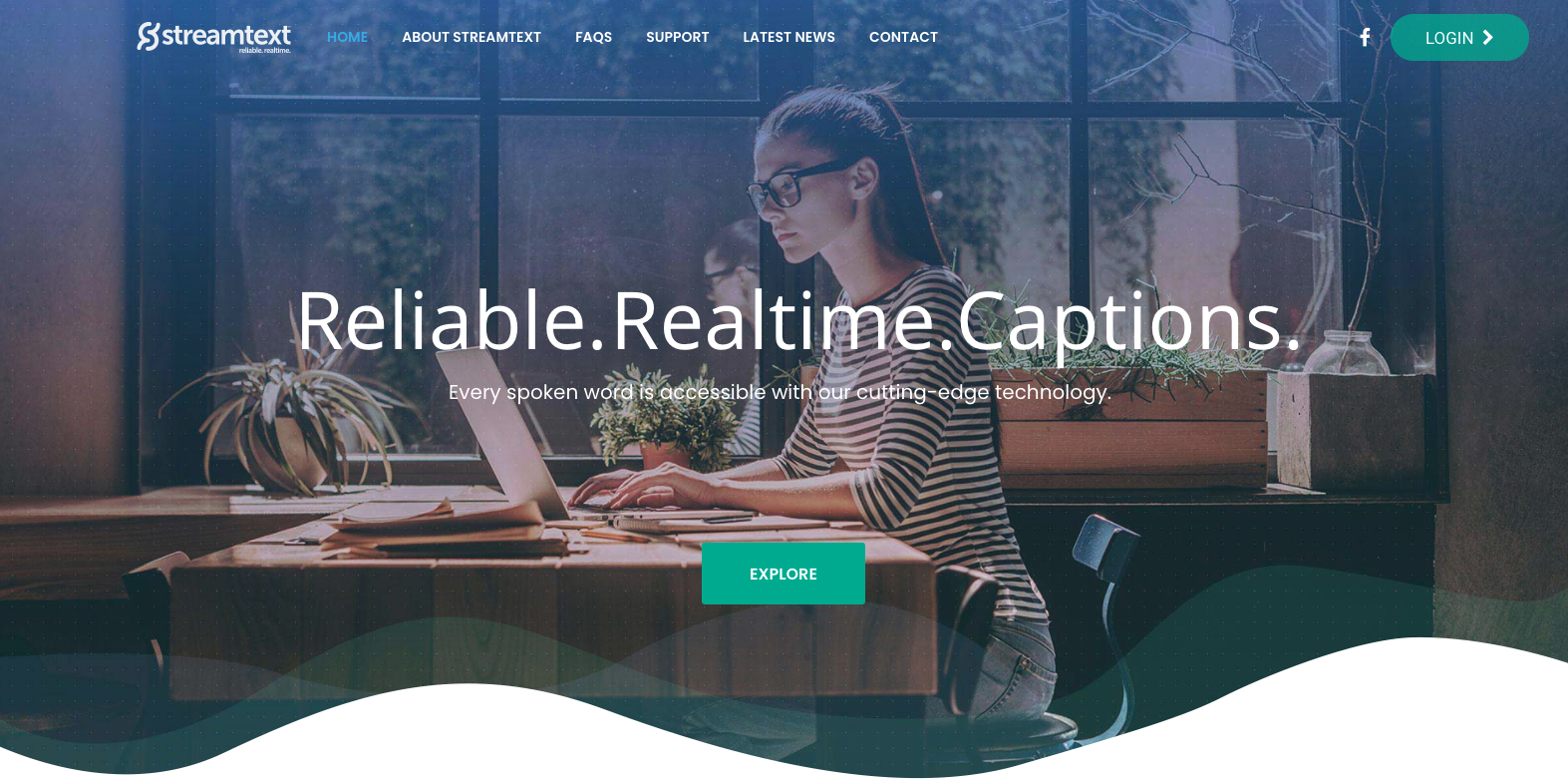
The text size, font, color, or theme can then be changed whenever needed, and can be outputted to Quicktime, Windows Media, Real Player, or YouTube. There is also the added feature that allows you to change the language of the text, creating multiple sets of captions for your video. This is a great way to ensure the closed captions match the aesthetic of your site while still being readable.

One thing to note when using this service is that if your stream is not embedded to a website, you will need to send a link from YouTube as well as from the site you are using. You also have to send the company any music you are using during the livestream so that they are able to set up the lyrics as closed captioning beforehand. If there is a live performance, then the stenographer will caption as they perform.

Another thing to note is that streamtext.net is only able to type in English, so if there are any parts of the stream in another language, they might not be able to correctly spell the words or phrases correctly. You would have to use the language feature to change all of the captions. They can translate to other languages but only one language can be spoken at a time.
Some Free Options For Live Captioning
“You get what you paid for.” Chris Rock
Not all live closed captioning tools are created equal. If you’re on a budget, a free tool may be the best option, but know that it won’t be perfect.
Free AI caption tools can get the job done but you are at liberty to the mistakes of translations. Regardless, I would say it is fairly accurate and if you are on a shoestring budget I would recommend using these tools.
Since these live caption solutions are free, you can play around with a few of them to see which works best for your needs.
Youtube
On YouTube Live, creators are able to set up automatic captions that use AI to create closed captions on videos that have normal latency settings.
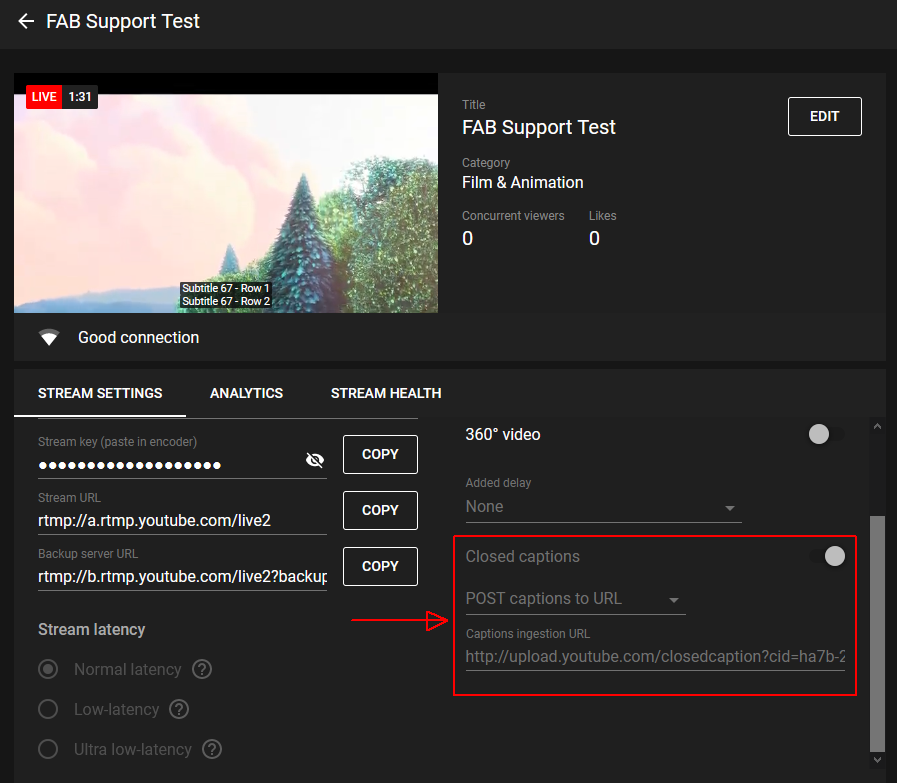
These captions will only work if:
- The channel has the captions feature turned on (which is usually set up for channels with more than 10k subscribers)
- The audio contains high quality audio
- Speakers do not overlap speech/switch between languages quickly
Youtube has its limitations, and consider what happens if you want captions outside of youtube.
Webcaptioner.com (Best Option)
You can embed captions to a live stream and the AI will type out everything. You will need an encoder like OBS (free) or what we use, wirecast, to get the live captions.
The PROs of using Webcaptioner.com for your livestream
- You can embedded this to any player or encoder that can screen capture
- Translate live captions fast and in real time
- FREE
- Easy to use, and figure out for a real professional not a fake professional.
- Did I mention it’s FREE?
The CONs of using Webcaptioner.com for your livestream
- Some translations will be off
- Tricky to get audio into the web platform
Learn More about Webcaptioner
Zoom Closed Captions for Videos
With Zoom’s popularity (and necessity) booming, the video conferencing platform has upped its closed captioning game. So whether you’re pre-recording a lecture or holding a meeting in real-time, you can include accurate closed or live captions.
Currently, Zoom has three options available for closed captioning: manually providing the captions yourself, adding captions from a third-party service, or using Zoom’s live transcription feature.
Since Zoom’s captioning feature is still relatively new, there are some things to consider before deciding to use this option over one of the others. First, it only currently supports English audio. Second, the accuracy of the captions rely on the level of background/white noise present, the volume of the speaker, and their clarity of voice (e.g. dialects or accents).
These are just a few ways that allow you to set up closed captioning on your live streams and give more people access to your content. For information on live streaming and closed captioning, please click here, or contact us by clicking here.
